


With the iPhone 17 lineup now released globally, many users are preparing to upgrade from the iPhone 16. But if your iPhone 16 Pro Max is still SIM-locked, you may face trouble switching carriers or selling your device for a good price.
This guide explains:
✅ What SIM lock & carrier lock actually mean
✅ Official carrier unlock steps (recommended)
✅ Third-party IMEI unlock options (pros/cons)
✅ Fixes for “SIM Not Supported” issues
✅ What changes for SIM unlocking on iPhone 17
✅ Safe alternative unlock method for older models (Passixer)
Part 1: What is iPhone SIM Unlock?
A SIM-locked iPhone is restricted to one carrier. Unlocking allows you to use any SIM/eSIM worldwide.
SIM Lock vs Carrier Lock – What It Means
>Most iPhones are carrier-locked at purchase when you buy via a carrier installment plan or discount agreement.
Benefits of SIM Unlock
Here are the benefits of a SIM unlock for iPhone 16s:
- Use any carrier worldwide
- Higher resale value
- Use local SIMs while traveling
- Easier carrier switching without changing iPhones
Risks and Limitations
- Unofficial unlocking may void warranty
- Scam “free unlock” sites can steal IMEI data
- Region eSIM rules vary (important for U.S. users)
U.S. vs Europe/Asia SIM Differences
To avoid lock issues, buy directly from Apple SIM-free / unlocked model.
How to Check if Your iPhone 16 is Locked
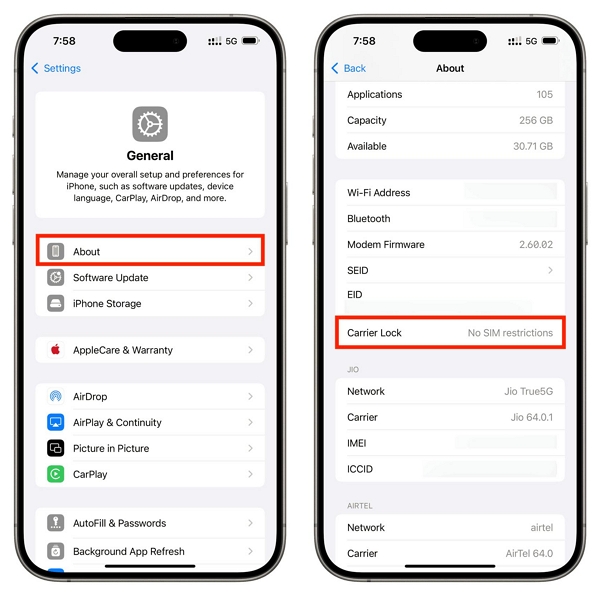
Settings → General → About → Carrier Lock
- Shows No SIM restrictions → ✅ Already unlocked
- Shows carrier name → ❌ Locked
Part 2: How to SIM Unlock iPhone 16 / 16 Pro Max Step by Step
In this section, we’ll take a look at the steps you should take to SIM unlock your iPhone 16 from scratch.
Method 1: Official unlock methods (recommended):
The safest and most reliable way to unlock an iPhone 16 Pro Max is through your carrier. Here’s a clear step-by-step overview:
Step 1. Contact your carrier
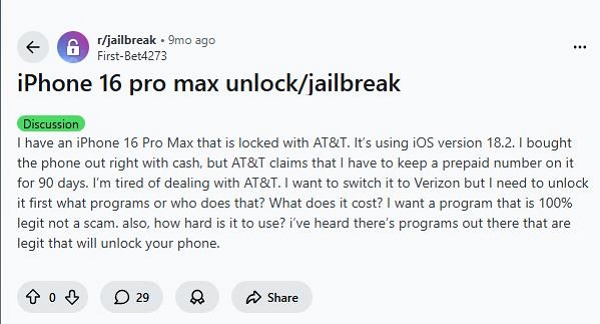
Check your carrier’s unlock policy (AT&T, T-Mobile, Verizon, etc.). Community discussions highlight that even fully paid devices may require a minimum activation or prepaid period—for example, one Reddit user reported that AT&T required a prepaid number to remain active for 90 days before unlocking. Reference: Reddit discussion.
Step 2. Confirm eligibility
- Device fully paid
- Account in good standing (no unpaid balances)
- Device not reported lost or stolen
- Meets carrier-specific minimum activation/holding period (if applicable)
Step 3. Submit the unlock request
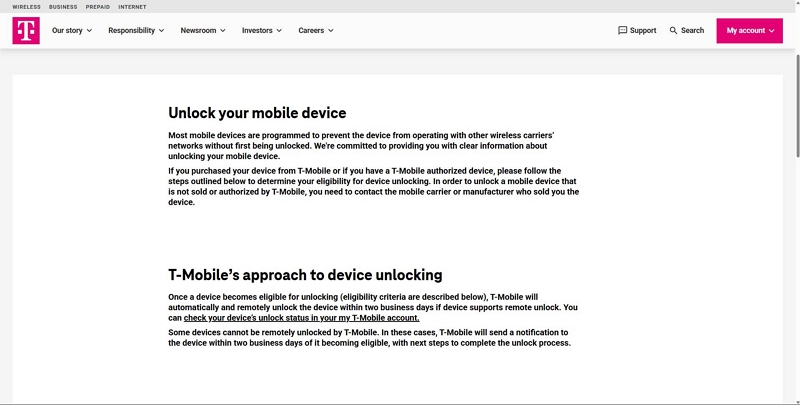
- Apply via the carrier website, app, or customer service
- Carriers usually issue a remote unlock within 1–2 days
- Follow any instructions such as inserting a new SIM, restarting, or resetting network settings
Step 5. If the carrier refuses or issues arise
- Keep records of all communications
- Escalate to higher-level support or the carrier’s unlock team
- Provide proof of purchase and account information
For a detailed carrier-specific guide, see our full tutorial: Unlock SIM Card on iPhone
Method 2: IMEI Unlock Services (Use with caution)
For some reason, you can’t unlock your iPhone 16 through official unlock methods, you could try third-party IMEI unlock services.
Option 1: doctorSIM
- 20-year service reputation
- Refund if unsuccessful
- ~50% success rate for newer iPhones
Check out our in-depth review of doctorSIM for a closer look at how things might go for you.
Option 2: The Unlocking Company
- Requires $8 eligibility fee
- Additional fee to unlock
- Mixed success reviews
However, there is a good chance you might be charged extra even after the first payment. Read our full review of The Unlocking Company to learn about what to expect.
Method 3: Unlock Older iPhones (Up to iPhone X) — Passixer
iPhone 16/17 cannot be unlocked with software — older models can.
If you still use iPhone X and earlier, Passixer is one of the safest and fastest SIM unlock tools: Passixer iPhone Unlocker
That said, let’s take a look at some of its key features:
To illustrate how easy it is to remove the SIM lock using Passixer, here is a step-by-step guide to using the tool:
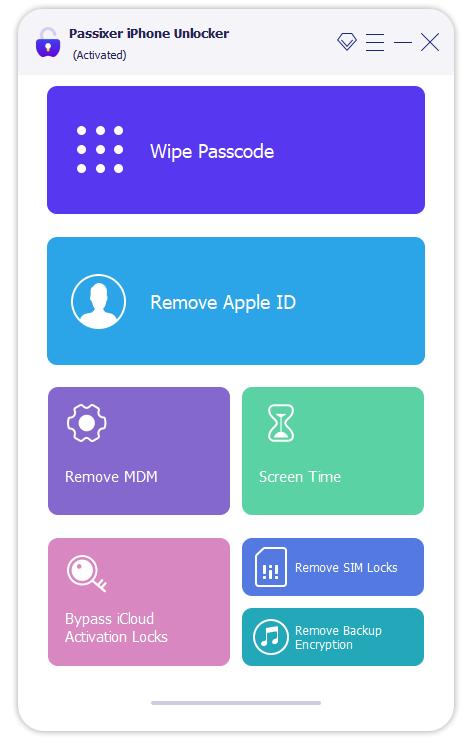
Connect your iPhone to your computer using a USB cable and open the Passixer app. Then, select Remove SIM Lock from the home screen.
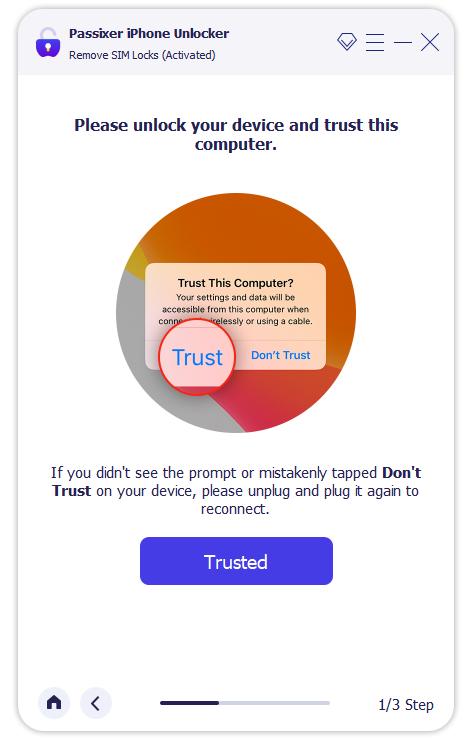
After this, you’ll see a prompt asking whether the computer you connected to your iPhone is a trusted device. Tap Trust on your phone to continue.
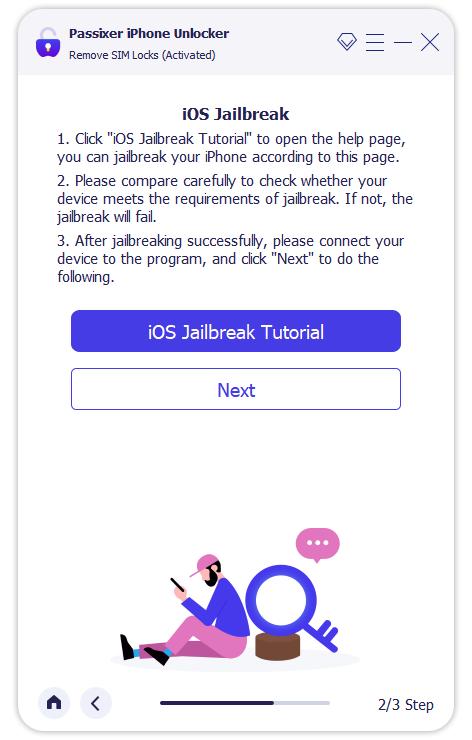
Jailbreak your iPhone by following the steps on the screen. Click Start and then click iOS Jailbreak Tutorial on the Passixer app. Follow the steps and then click on Next.
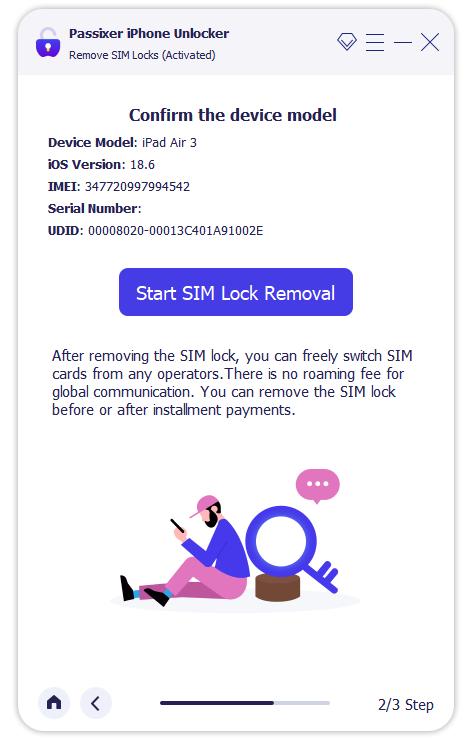
Confirm your device details in this step, and then click on Start SIM Lock Removal.
Remove all existing WiFi networks on the device and turn off WiFi. Then, take out the SIM card.
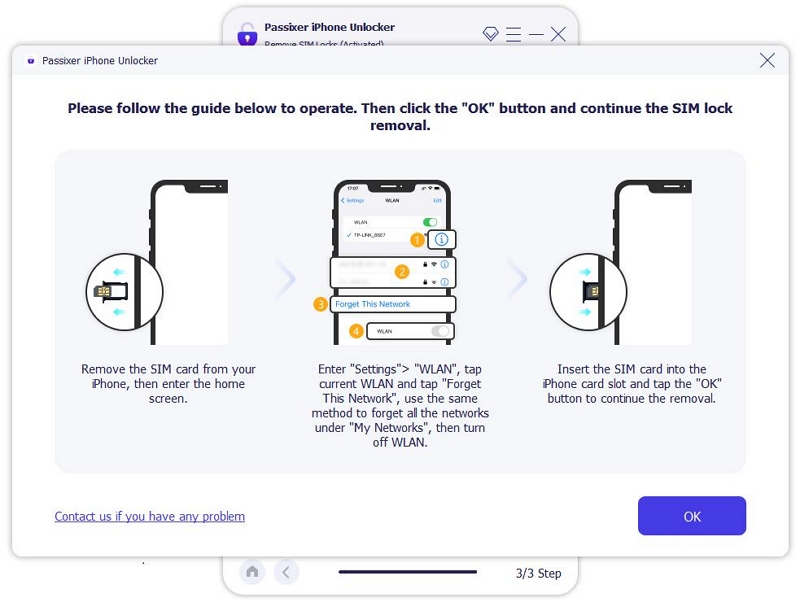
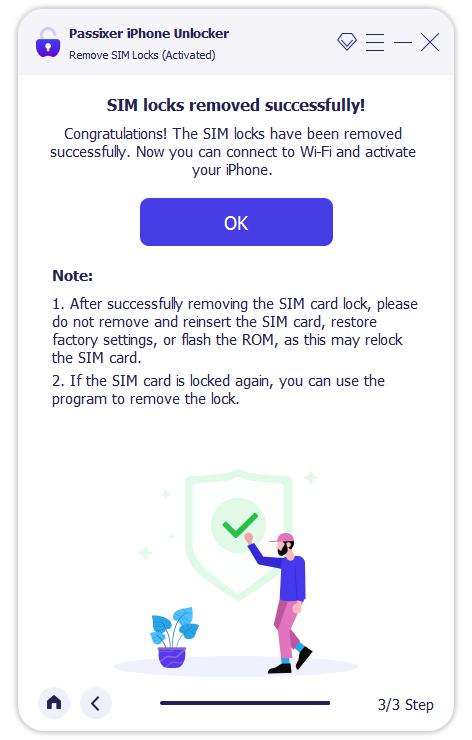
The SIM lock removal procedure will start automatically after you’ve completed the steps above. Now, leave your phone until you see a success message informing you that your phone has been unlocked.
Part 3: Fix iPhone 16 Pro Max SIM Unlock Problems
Unfortunately, a SIM unlock is not always as straightforward as it might seem. Although rare, some users report running into problems while trying to unlock their devices. This section will address several such recurring issues.
1. “SIM Not Supported” / “Invalid SIM” error.
If you’re still getting a “SIM Not Supported” or “Invalid SIM” message after fully executing one of the aforementioned methods, you might be dealing with carrier lock or activation issues. If you’re in this situation, see our full SIM Not Supported fix guide.
2. Still locked after carrier confirmation.
To check if your device might still be locked after confirmation from the carrier, first have a look at the device itself. Head to Settings > General > About > Carrier Lock.
If your device is unlocked, you should see “No SIM restrictions.” If the device is still not unlocked, wait for some time and then recheck. If it is still not done, log in to your account on your carrier’s website and have a look at the unlock status. If it is still locked, contact customer support for assistance.
3. Does a software update re-lock the phone?
4. Cross-country network compatibility.
Network coverage and bands vary drastically between locations. You might get 5G bands in some areas, while others only offer LTE at best. If you’re travelling, it is best to check the network conditions at your destination to make an informed decision.
Part 4: iPhone 17 vs iPhone 16 SIM Unlock & Connectivity
Conclusion
A SIM unlock can be very annoying to deal with, especially if you’re travelling to a new country or planning to resell your old device. But with the information you’ve come across in this guide, you hopefully have a clear idea of how to unlock your device. While sticking to official methods is the best approach, you might need to try third-party options if your provider doesn’t comply. If you’re using an older model, however, you can’t go wrong with Passixer iPhone Unlocker.