Why Activation Lock Shows on Your iPhone/iPad Screen

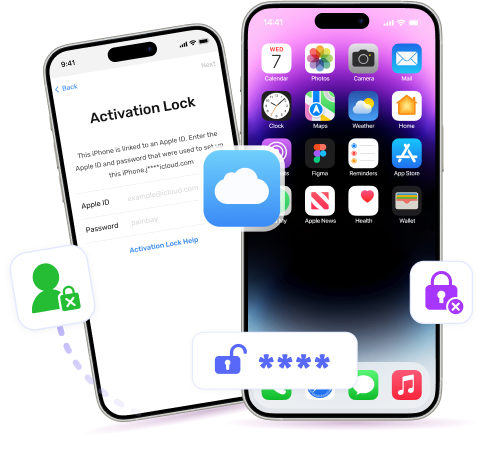
You can see iCloud Activation Lock on your iPhone/iPad screen after factory resetting your device or upgrading its iOS or when your second-hand iPhone is erased by its previous owner. At this moment, unlocking the iCloud lock without the Apple ID and password seems impossible. However, as one of the few tools on the market which supports bypassing iCloud Activation Lock without Apple ID, Passixer iPhone Unlocker makes it possible for you to get into your iCloud-locked iPhone/iPad.

Factory reset your iOS device by accident.

iOS was upgraded.

Second-hand iPhone was remotely erased by its previous owner.

What You Can Do After Bypassing iCloud Activation Lock

Get access to iOS device without password again.

Download and purchase apps from App Store with a new Apple ID.

Enjoy music, movies, TV shows, etc. from iTunes Store with a different Apple ID.

Prevent from being tracked by the previous Apple ID.

No risk of being blocked or erased by the previous owner.

How to Bypass iCloud Activation Lock

Got an used iPhone with iCloud Activation Lock? Asking the previous owner for help is the easiest way to remove iCloud lock from your iOS device. If this quick method isn’t available to you, then simply turn to Passixer iPhone Unlocker for help. Passxier can bypass iCloud Activation Lock without Apple ID and password, enabling you to get into your iPhone or iPad for daily usage.

Download Download
You Must Know Before Starting:

1. Jailbreaking your iOS device is required for Passixer to bypass the iCloud Activation Lock on your iOS device. We do not provide a jailbreak feature, but we offer a jailbreak guide for your reference.

2. After iCloud lock bypassing, most of the features are available on your iPhone/iPad, except for making phone calls, using cellular data, or signing into iCloud with a new Apple ID.

3. Please don't restart, factory reset, or flash firmware after completing the bypassing operation. Doing so may cause the Activation Lock to reappear.

Step 1 Run Passixer.

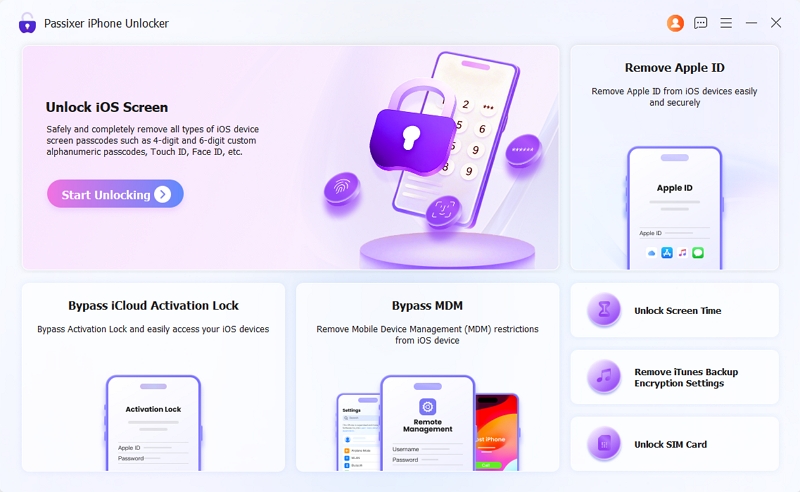
Open Passixer after installing it on your Windows PC or Mac and click the Bypass iCloud Activation Lock option in the main interface.

passixer-interface
Step 2 Connect Your iOS Device to the Computer.

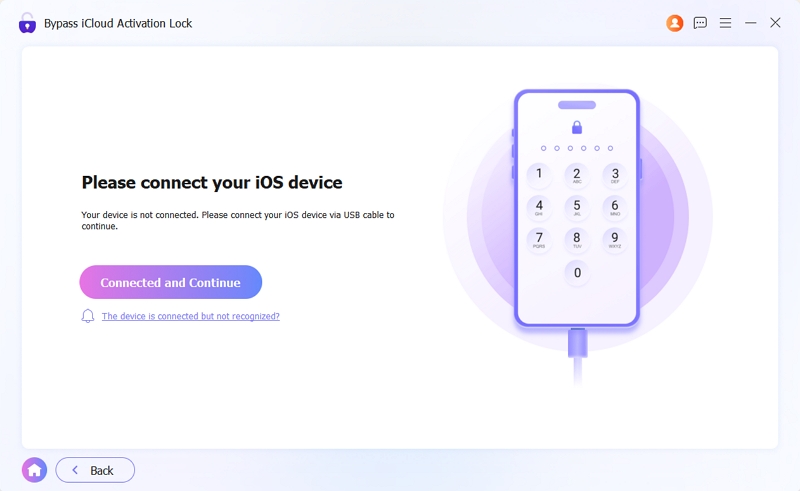
Connect your iPhone/iPad to the same computer via a reliable USB cable.

passixer-interface

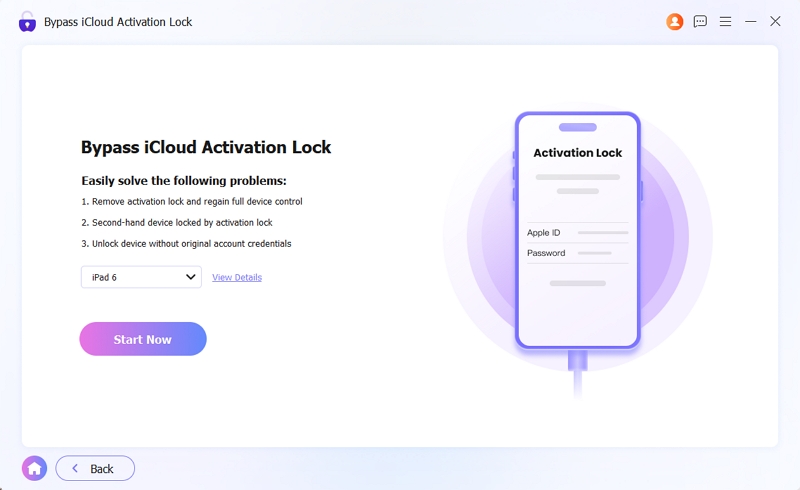
Click Start Now to let Passixer detect your device.

passixer-interface
Step 3 Jailbreak and Start Activation Lock Bypass

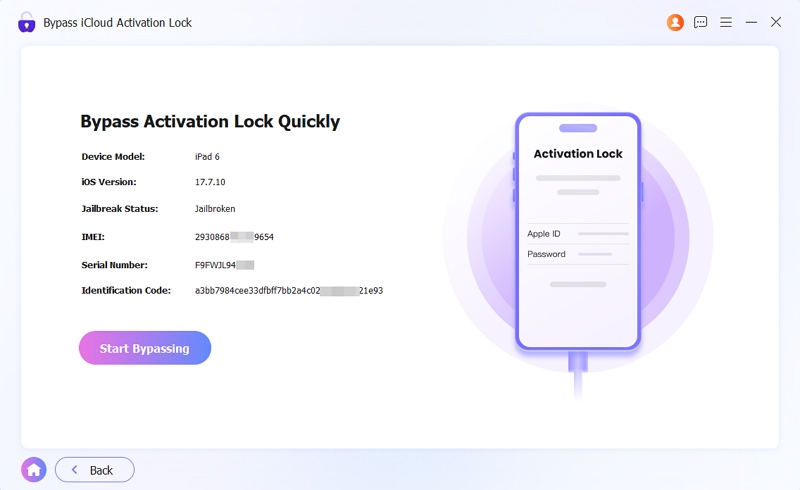
Once your device is recognized, you will see its information and jailbreak status on the screen. Click Start Bypassing to proceed.

passixer-interface

If your device is jailbroken, the Activation Lock bypass process will start automatically.

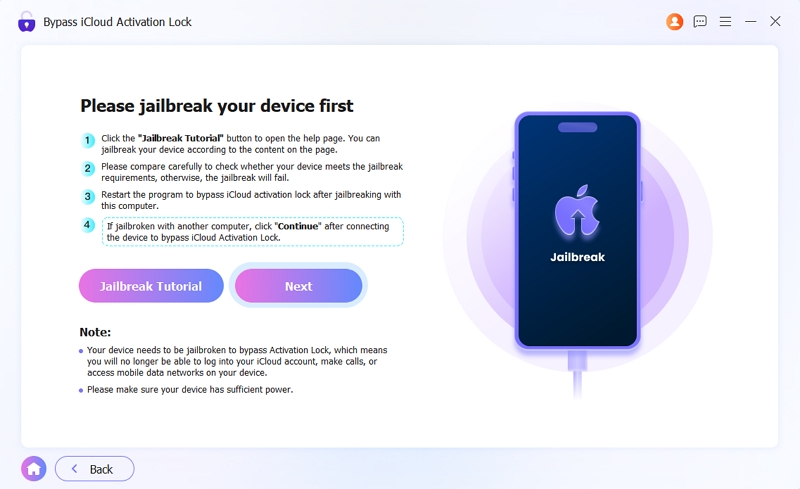
If your device is not jailbroken, click Jailbreak Tutorial to follow the steps and jailbreak it on the computer where Passixer is installed. After that, restart Passixer and run the Activation Lock bypass feature. This time, once you click Start Bypassing, the bypass process will begin immediately.

If you jailbreak your device on another computer, reconnect it to Passixer after the jailbreak, then click Next to start the Activation Lock bypass.

passixer-interface

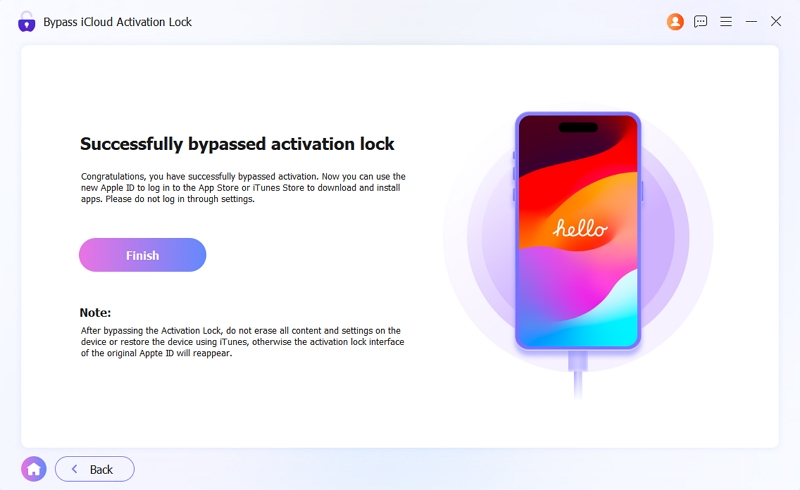
After the Activation Lock bypass is completed successfully, a prompt will appear on the screen.

passixer-interface

More Features About Passixer

FAQs Of Bypassing iCloud Activation Lock

1. How to remove iCloud Activation Lock without the previous owner?

Try Passixer iPhone Unlocker which allows you to bypass iCloud Activation Lock on your iOS device within 3 steps.

Step 1: Jailbreak your iPhone/iPad stuck on iCloud lock.

Step 2: Connect your iOS device to the computer and run Passixer.

Step 3: Select Bypass iCloud Activation Lock and start the bypassing process.

2. How to unlock iCloud Activation Lock with passcode?

You can use passcode to unlock iCloud Activation Lock without Apple ID, only if the iOS installed on your iPhone is 11 or later and you have enabled the Two-factor authentication feature with iCloud.

Step 1: Tap Unlock with Passcode on the iCloud Activation Lock screen.

Step 2: Enter the device passcode to unlock the iCloud lock.

3. Can I remove iCloud Activation Lock using iTunes?

No. iTunes doesn’t work on removing iCloud Activation Lock from your iOS device, no matter whether you restore your device or restore your backup in iTunes.

4. How long does it take to remove iCloud Activation Lock?

The time varies depending on the way you use. For example, if you use Passixer to bypass iCloud Activation Lock, it just takes several minutes.

More Tips and Tricks