


Despite the longevity any modern iPhone promises, those in the Apple ecosystem are still tempted to upgrade to the latest model. With the launch of the iPhone 17 range in September 2025, many users from the US are considering an upgrade.
If you’re like a lot of iPhone users, you might finally be thinking of getting the 17 range after passing on the 14,15, and 16 line. The iPhone 13 can still be traded in or sold on the used market for a sizable fee, but you need to ensure that it is not carrier-locked. A carrier lock limits you to one network provider, while not having one lets you use different SIM cards, which is particularly useful if you’re travelling abroad or looking to resell your phone.
In this guide, we’ll take an in-depth look at how to unlock the iPhone 13 from a carrier in the United States. We’ll go over official methods, specific tips for the iPhone 13 Pro and Pro Max, as well as how the iPhone 17’s arrival changes things for users operating an older iPhone.
Part 1: What Does “Carrier Locked” Mean on iPhone 13?
A carrier-locked iPhone is only usable with one specific network provider, such as AT&T, T-Mobile, or Verizon. Until this lock has been removed, the iPhone cannot be used with a SIM card or eSIM from another carrier.
There is another instance of a carrier lock where you’re only allowed to use your phone with a specific SIM card or eSIM. This is called a SIM lock and prevents you from using another SIM or eSIM, even if it is from the same provider.
iPhones are usually carrier-locked at the time of purchase if the buyer has opted for carrier financing. If so, the user enters a contract with the carrier for a specific timeframe or until the financing is completed. In doing so, the device is available at a hefty discount for the customer.
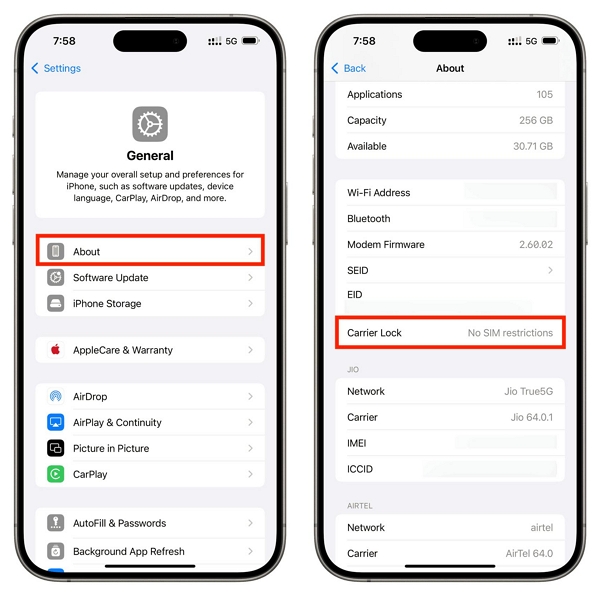
To check whether your device is carrier locked, head to Apple Settings > General > About > Carrier Lock.
- If it says No SIM restrictions: Your device is not carrier locked and can be used with a SIM card from any network operator.
- If it says SIM locked: If you see this message, your device is network locked, and the carrier to which your device is locked will also be displayed.
Part 2: How to Unlock iPhone 13 From a Carrier (Official U.S. Method)
If you’re looking to unlock your iPhone 13 from a US carrier, it is recommended that you follow the official unlocking method. Put simply, you’ll have to send an unlock request to the carrier, following which they will either send you a code or directly unlock your device.
Step 1: Check if You’re Eligible
First, you must ensure that your account is in good standing (which means no unpaid bills). Next, your iPhone 13 must be fully paid off. Most carriers also require you to have been on the network for a certain time period, e.g., 60–90 days. This condition varies based on the carrier you’re on as well as the type of plan you’re on.
Step 2: Gather Your IMEI
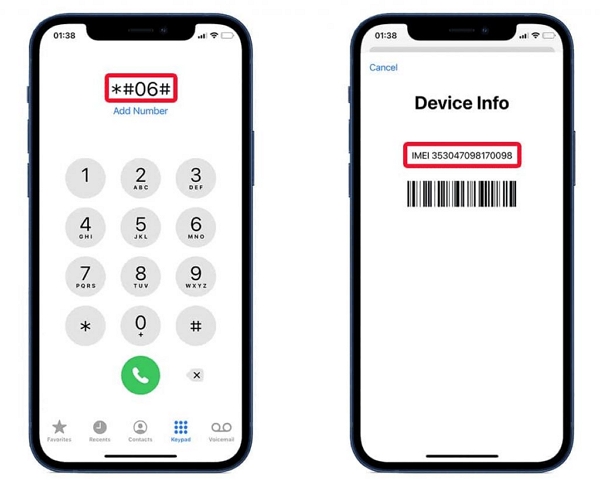
Go to Settings > General > About > IMEI. Alternatively, enter *#06# on the dial pad and you’ll see the IMEI numbers come up. Note them down since this will have to be entered later.
Step 3: Request Unlock From Your Carrier
After checking your phone and gathering your IMEI number, it is time to request an unlock if you meet their eligibility requirements. Here is what you should do for different carriers:
- AT&T: Use their online unlock portal.
- T-Mobile: Request via the T-Mobile app or support.
- Verizon: Most iPhones unlock automatically after 60 days.
- UScellular and others: Call customer support.
Step 4: Confirm Unlock
The carrier unlock can often take up to two business days to process after you’ve submitted a request. However, this is only with some operators, such as T-Mobile, who often unlock your phone as soon as it becomes eligible.
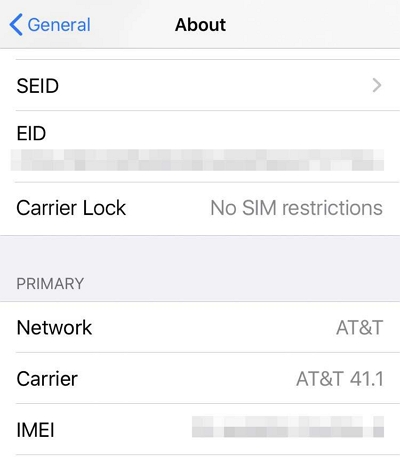
After the approval from the carrier, restart your phone or insert another carrier’s SIM to complete the process. Then check Settings > About > Carrier Lock again — it should show No SIM restrictions. If you see this message, you can freely use your phone with any SIM.
Q: Can You Unlock iPhone 13 Pro or Pro Max?
Yes, you can unlock iPhone 13 Pro and Pro Max with the right steps. The official method works for all versions of the iPhone 13, as it is still supported by carriers at the time of writing.
Part 3: How to Unlock SIM Cards on iPhones Before iPhone 13
Unlocking SIM cards on iPhone 13 can seem like a daunting affair if you’ve never done it before. But the steps to unlock your device are actually pretty easy once you understand the full picture.
Unfortunately, technical glitches on the carrier’s side or unresponsive customer support could prevent you from unlocking your device. If you find yourself in a similar situation and are unable to unlock your phone, Passixer iPhone Unlocker is the way to go.
Let’s take a look at some of its key features that make it a viable option to unlock your iPhone 13 Pro Max:
To illustrate how easy it is to use Passixer iPhone Unlocker to remove a carrier lock on your phone, here is a step-by-step guide to using it:
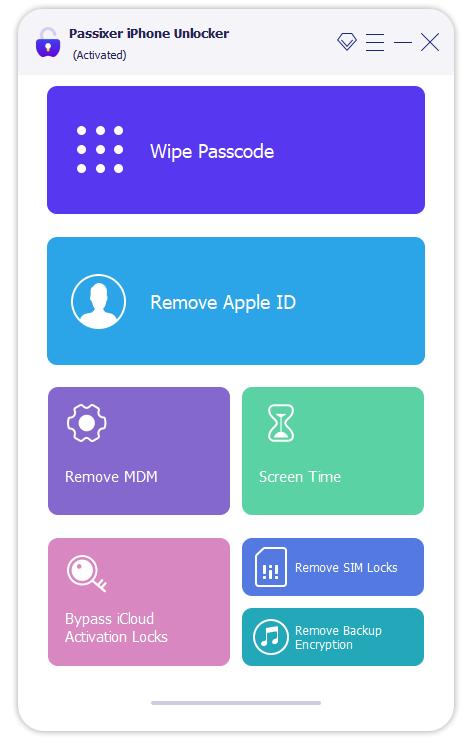
Using the correct USB cable for your iPhone 13, connect your phone to your computer and open the Passixer App. Then, select Remove SIM Lock from the home screen.
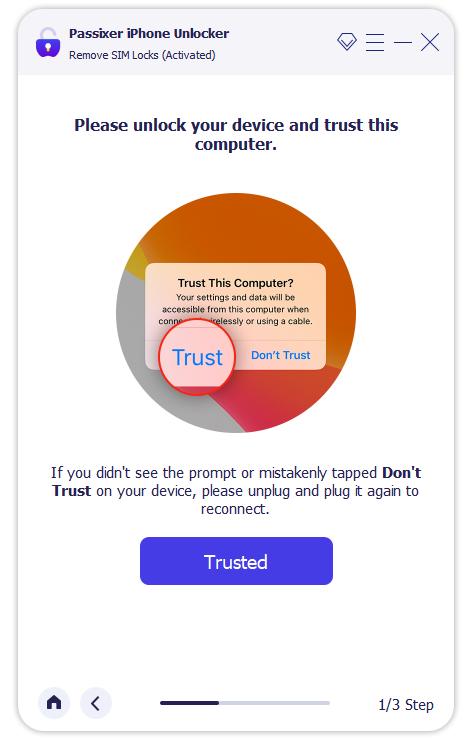
You’ll receive a prompt asking whether the computer you connected to your iPhone is a trusted device. Tap Trust on your phone to continue. This allows the app access to your phone, which is essential to remove the carrier lock.
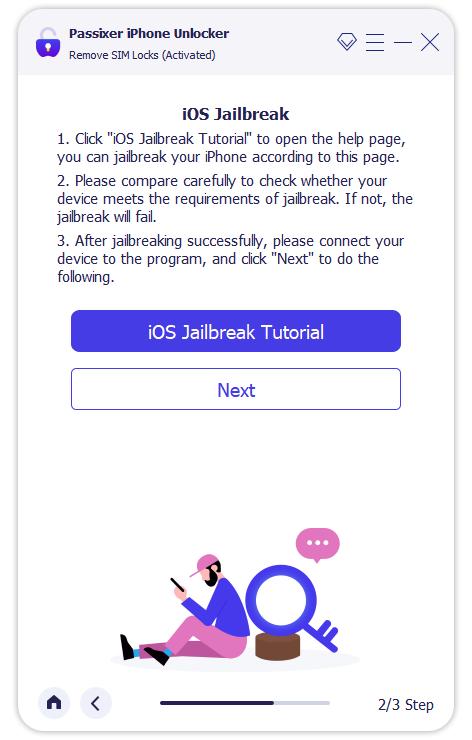
Click Start and then select iOS Jailbreak Tutorial on the Passixer app. Follow the on-screen steps and click Next when completed. Jailbreaking allows the SIM lock removal process to proceed safely.
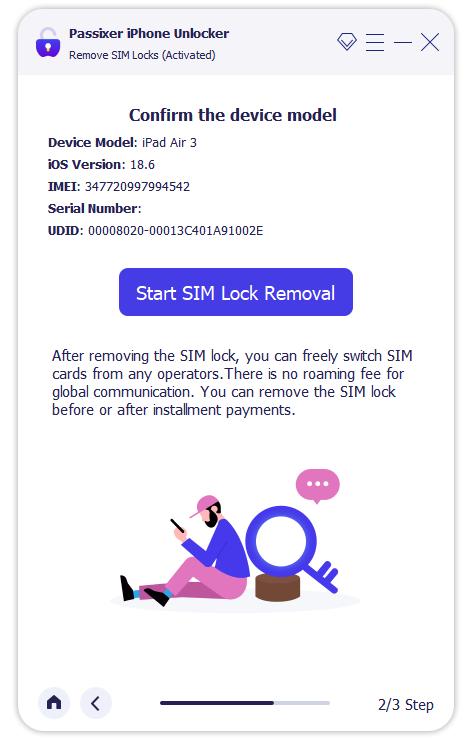
After the jailbreak, your device details will be displayed in the Passixer app. Confirm that the information is correct, then click Start SIM Lock Removal.
Erase all existing WiFi networks on the device and turn off WiFi. Remove the SIM card if it hasn’t been taken out already.
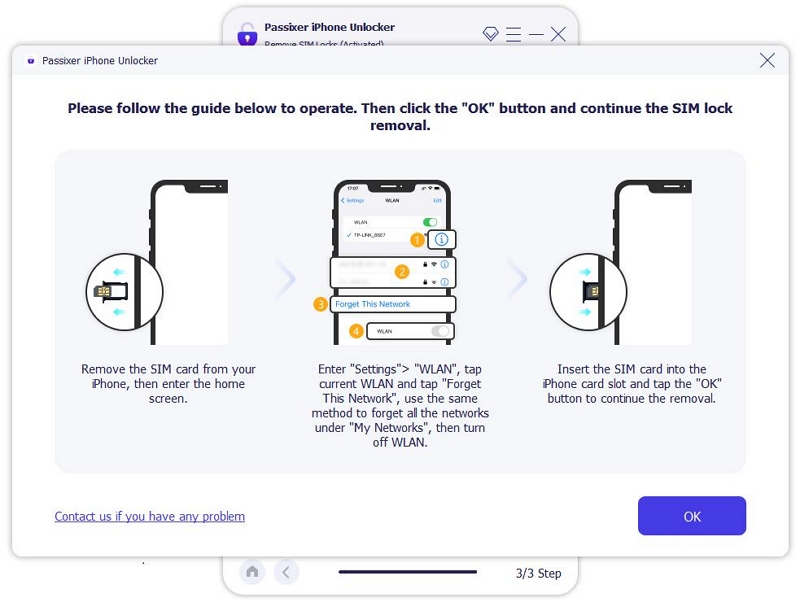
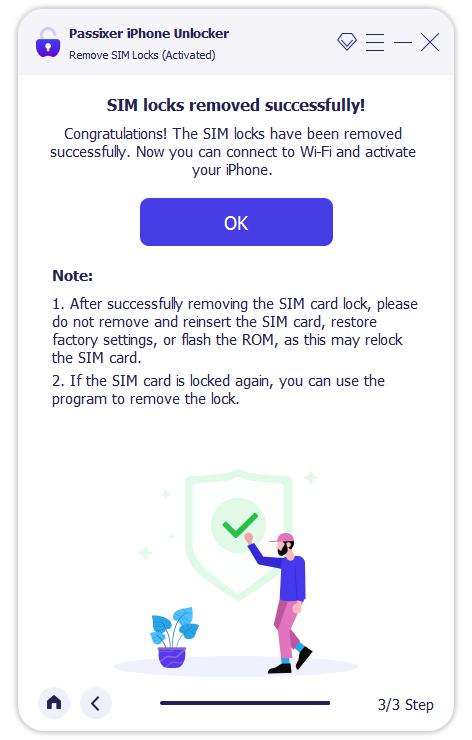
The SIM lock removal procedure will start automatically. Wait until the app finishes, and you will see a message confirming that the SIM lock has been successfully removed.
Part 4: Why Unlock iPhone 13 Before Upgrading to iPhone 17?
It has been four generations since the iPhone 13 was released, and a lot of features, including security mechanisms, have been revamped. Not to mention, you get much better performance, a huge camera upgrade and stronger eSIM connectivity and integration.
But that’s not all, a lot of carriers are adopting an eSIM-only approach, following the removal of the physical SIM tray in the iPhone 14, meaning older devices like the iPhone 13 Pro Max might not be supported in a few years.
With these factors in mind, it makes sense to remove the carrier lock on your iPhone 13 Pro Max and sell it or trade it in:
- Better resale/trade-in value: An unlocked iPhone 13 can fetch up to 20% more than a device that is carrier locked.
- Upgrade flexibility: Unlocking allows you to switch to a cheaper plan or a different carrier before buying the iPhone 17.
- Travel freedom: Use international SIMs or eSIMs without restrictions when travelling abroad.
Conclusion
Removing the carrier lock on your iPhone is quite easy if your account is in good standing and you meet the carrier’s requirements. However, a lot of people are either ineligible or don’t receive adequate support from their network provider, especially on a tight schedule. If you find yourself in such a scenario, you should consider trying out Passixer iPhone Unlocker. It is fast, reliable, and safe, and gets the job done without removing any data on your phone. So, give Passixer iPhone Unlocker a try right away.