


Disk Drill comes from CleverFiles. It is long known for helping users recover lost data from macOS and Windows hard drives. What about its iPhone data recovery module? Does it deliver success when it comes to retrieving deleted files from iPhone? And is the relatively high pricing truly justified for what it delivers? Just as important—what do real users say about their experiences, and how exactly does the tool work in practice?
We’ll cover all of that in detail. And for perspective, we’ll also look at an iOS-centric alternative, Eassiy iPhone Data Recovery, a tool designed specifically for iOS devices and known for one of the highest success rates in the market.
Overview of Disk Drill iPhone Recovery
The iPhone recovery module comes bundled with the macOS version of Disk Drill.
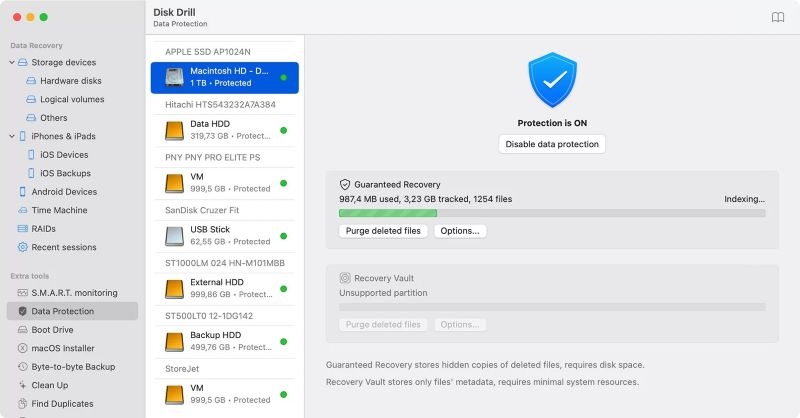
At its core, Disk Drill is a general data recovery program, which is built to scan flash memory cards, flash drives, external disks, or any other storage device that can be connected to a Mac, including iPhones.
This already makes it clear: Disk Drill is not an iPhone-centric tool. Still, it treats iOS recovery a little differently than its other recovery modes.
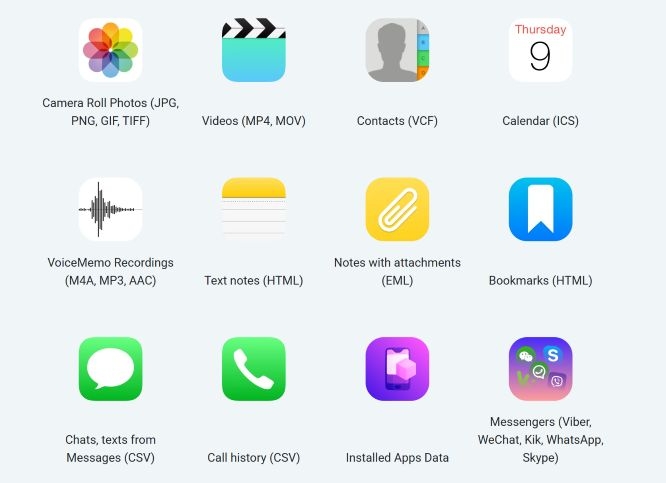
And you’ll have the option to bring back a fair range of iOS data that could appear as deleted or lost. That includes contacts, call history, messages, WhatsApp conversations, text notes, bookmarks, and calendars.
How it works
Disk Drill isn’t a dedicated iOS recovery program, and it shows in the way it functions. Instead of directly scanning iPhone storage, it first creates a local backup of the iPhone (similar to an iTunes backup) using its own algorithms to include any data that hasn’t been overwritten. From there, recovery is possible.
This approach, however, comes at a cost. Disk Drill demands at least twice the amount of free space on your Mac as your iPhone’s used storage. The scanning itself also takes time, especially during the “preparing backup” phase.
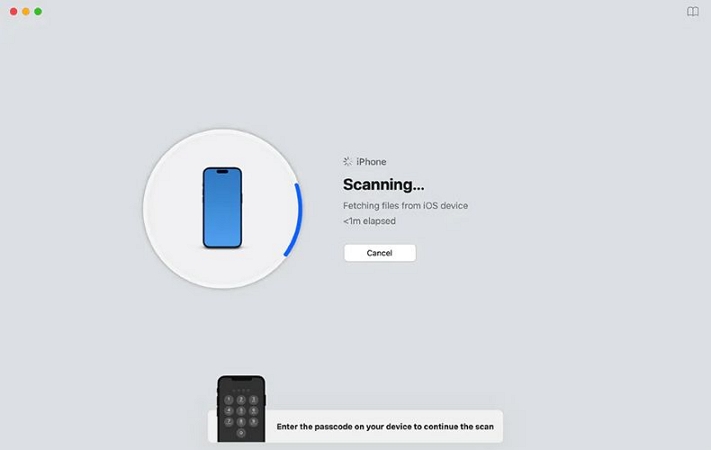
And there are limits. Starting with iOS 13, Apple’s restrictions prevent certain types of data, like contacts, call history, and Safari records, from being recovered from Disk Drill’s created backups. So, without a backup you’ve made yourself, Disk Drill has no way in.

Supported Devices and Requirements
iPad (all generations, including Air, mini, Pro),
iPod touch models.
Is Disk Drill iPhone Recovery Free to Use?
With the release of Disk Drill 6 in July 2025, the free version of Disk Drill tool only lets you preview what can be recovered.
Earlier versions of Disk Drill (up to version 5) allowed macOS users to recover up to 500 MB of data at no cost, giving people a chance to both preview and restore small amounts of iPhone data. That free tier is gone.
So, any actual recovery now requires a paid license. There are two options:
- The Pro plan is priced at US$89. It unlocks unlimited recovery and, if you wish, you can pay an extra US$29 to secure lifetime upgrades. This license is restricted to a single user and covers up to three activations.
- For larger teams, there’s the Enterprise plan, which is more expensive. At US$499.99 (+ US$99 for lifetime upgrades), it extends usage rights to ten users with unlimited activations.
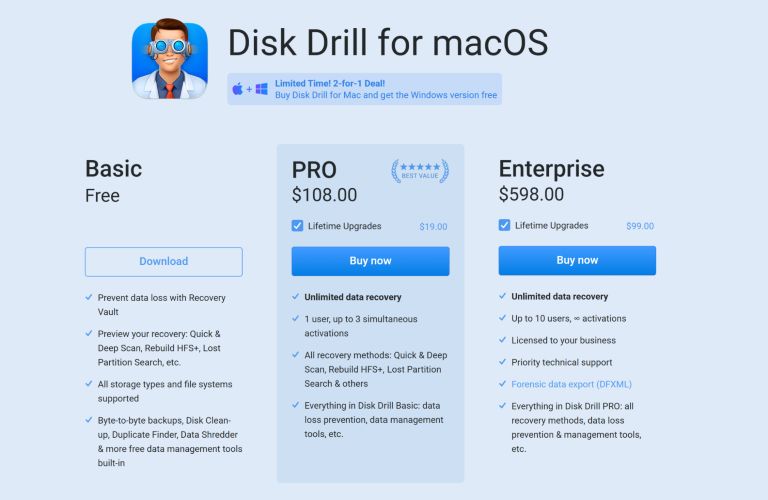
Both Pro and Enterprise offer unlimited data recovery. Alongside recovery, Disk Drill also bundles in data-management extras, such as duplicate file cleanup.
What Users Say About It
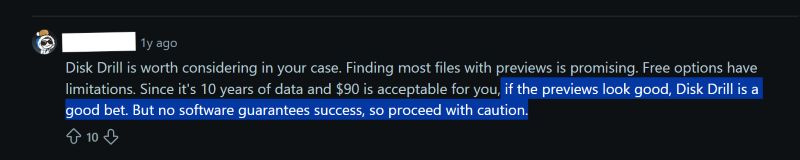
- Feedback is mixed. Some people say Disk Drill can be worth it, but only if the previews show that their files are still there. As one user put it, “if the previews look good, Disk Drill is a good bet.”
- Others point out that no recovery software can promise one hundred percent success. If the data hasn’t been overwritten, even cheaper tools often bring the same results.
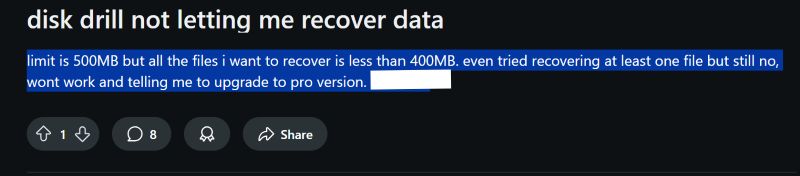
- Version six has sparked a lot of complaints. The old 500MB free recovery is now gone, and now the free version only lets you preview files but not restore them. Plus, many feel this makes the program too costly for what it offers.
Is Disk Drill iPhone Recovery Safe to Use?
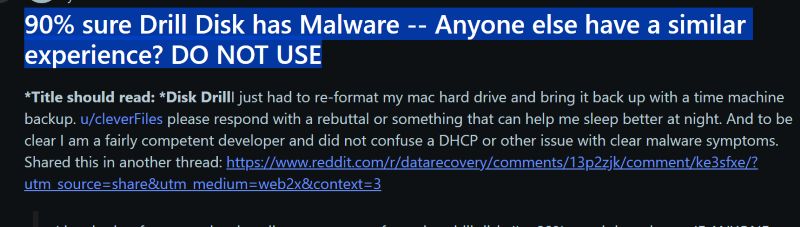
Some describe Disk Drill as unreliable. One claimed that ninety percent of their Mac showed malware-like behavior after installing Disk Drill.
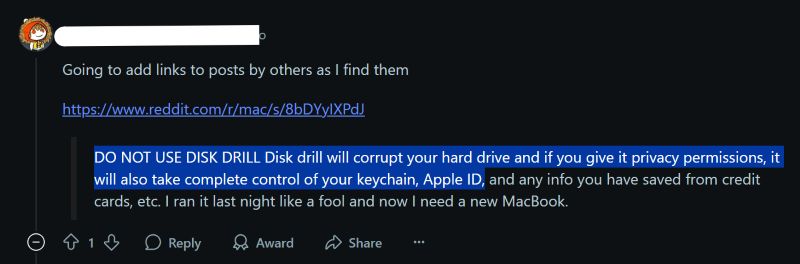
Others warn that it can corrupt drives and demand deep system permissions like access to the keychain, raising serious concerns about privacy.
Technical issues also show up.
One user reported that Disk Drill left behind a twenty-six-gigabyte backup folder that couldn’t be deleted, and customer support wasn’t much help.

Reports of corrupted or damaged files after recovery attempts are not rare either. In fact, complaints about paying for a license only to end up with broken exports come up often.

In our own testing, Disk Drill managed to pull back fragments of data—some calendar events, a few text notes, even old WhatsApp messages. The recent (v6) interface even looks clean, compared to the earlier ones.
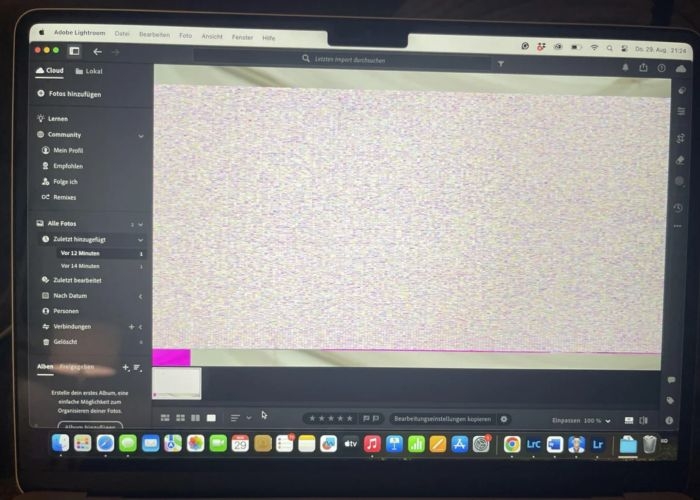
However, the problems became clear once we tried to recover larger files. Deleted photos, which were visible while previewing them, came back distorted. Scanning itself took a long time.
How to Download and Use Disk Drill iPhone Data Recovery
You can install Disk Drill on your Mac, including the newest macOS Tahoe (version 26) release, so compatibility is never in question. With that in mind, let’s walk through the recovery sequence:
Step 1. Download and install Disk Drill on your Mac
- Plug in your iPhone. Tap Trust This Computer if prompted.
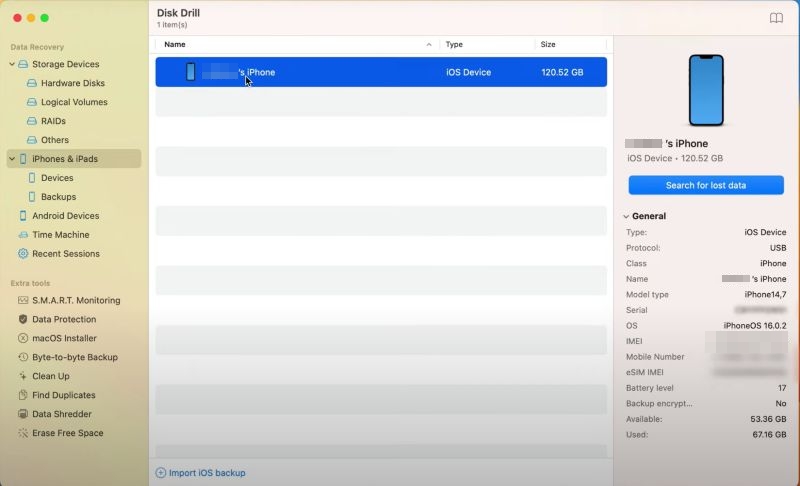
- Open Disk Drill. Your device shows up in the left panel.
Step 2. Start scanning your iPhone
- Highlight your iPhone in the list.
- Click the blue Search for lost data button on the right.
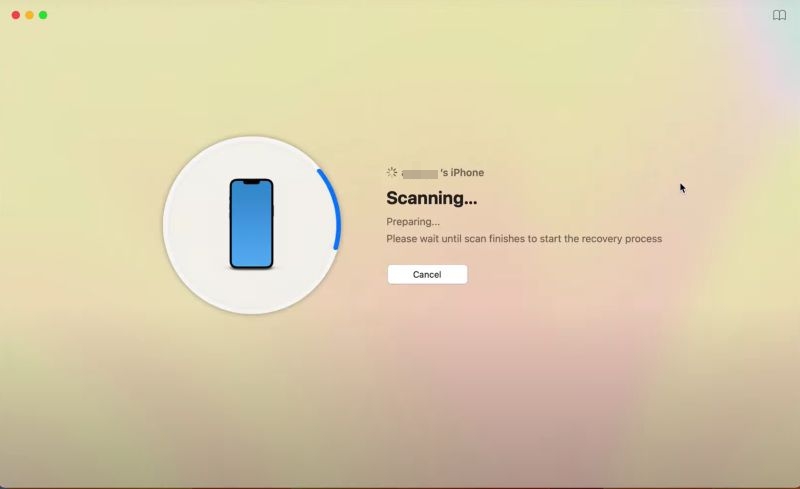
- The screen changes to “Scanning… Preparing. Please wait until the scan finishes to start the recovery process.” Make sure the iPhone doesn’t lock itself during this process, otherwise, the scan will stop.
Note: You’ll need a lot of free space on your Mac to scan iPhone’s storage sectors. For example, a 64 GB iPhone will require over 120 GB available on your Mac to even start the scan.
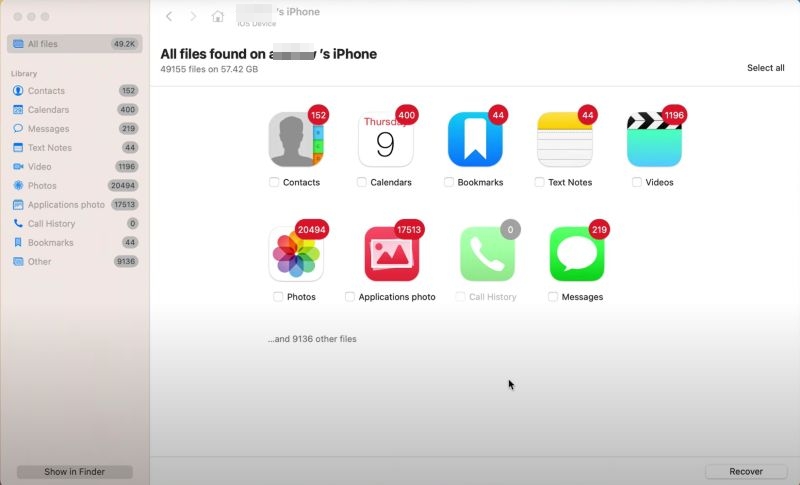
Step 3. Browse the scan results
- Disk Drill displays the recoverable files in categories, such as Contacts, Calendars, Messages, Photos, Videos, and more.
Step 4. Preview files inside a category
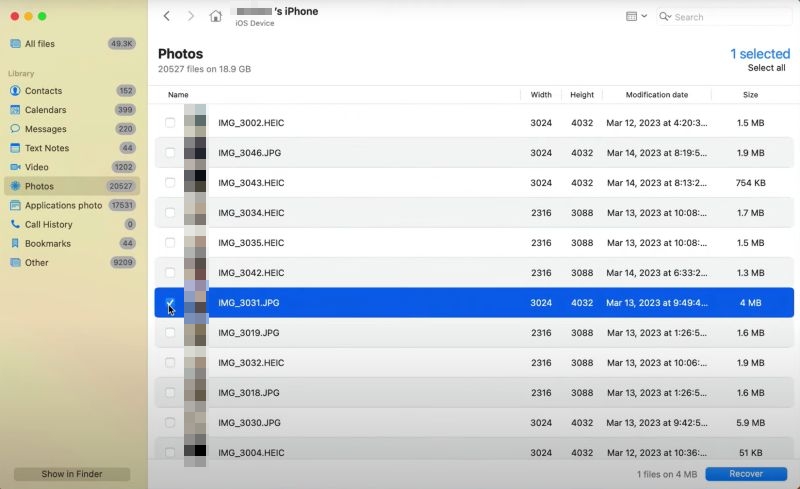
- Choose a category like Photos. You’ll see a full list of images, both deleted and still present on the device.
- Tick the boxes beside the files you want back.
Note: There’s no filter to show only deleted files. So, you’ll need to scroll and select manually.
Step 5. Recover your data
- Click the Recover button.
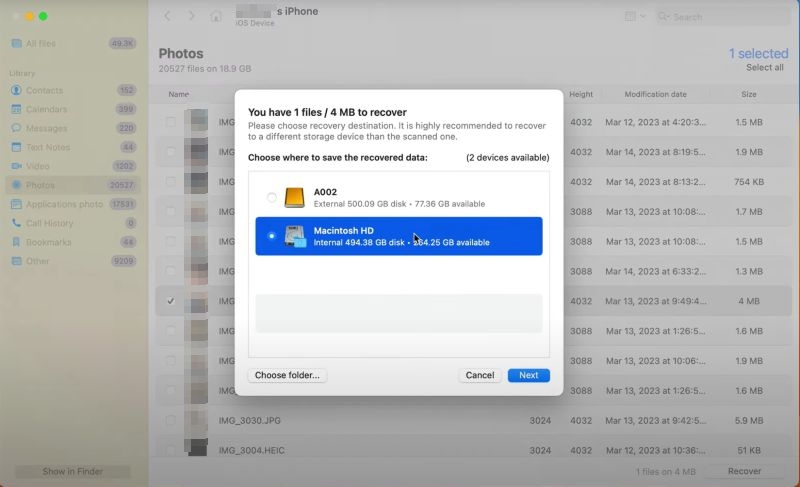
- A window asks where to save the files.
- Pick a safe location. Then, confirm.
Step 6. Complete the recovery
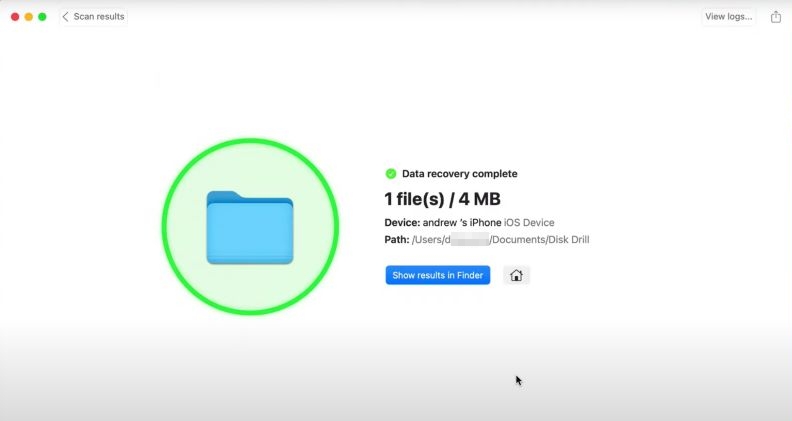
- Disk Drill shows a confirmation screen: “Data recovery complete” along with the exact file count and size, for instance, “1 file(s)/4 MB.”
- Use the Show results in Finder button to open the folder directly and check your recovered data.
Top Alternative to Disk Drill iPhone Data Recovery
Unlike Disk Drill iPhone Data Recovery, Eassiy iPhone Data Recovery directly scans your iPhone’s storage sectors, cutting down both time and space requirements while delivering the highest success rates on the market. Eassiy can retrieve up to 36 different file types, including photos, videos, messages, contacts, notes, etc., from inbuilt apps and data from third-party apps, such as WhatsApp, Kik, and Line.
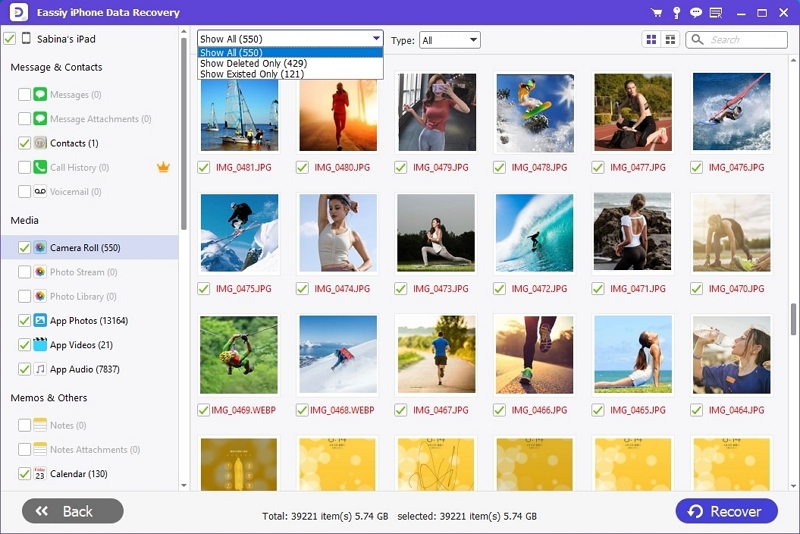
What further sets Eassiy apart is its user-friendly interface. You can sort results to show Only Deleted Files, making it far easier to pinpoint what matters and restore it straight to your iPhone or computer.
Eassiy’s compatibility is wide-ranging as well. It supports iOS 5 through iOS 26 across iPhone, iPad, and iPod devices. It’s available for both Mac and Windows, running smoothly on the latest macOS Tahoe (version 26) as well as Windows versions from 7 up to 11.
Comparison Between Disk Drill iPhone Recovery and Eassiy iPhone Data Recovery
It helps to see the differences side by side. The table below lines up Disk Drill and Eassiy iPhone Data Recovery on the essentials, so you can quickly judge which one suits your needs best.
direct device scan
selective iTunes backup scan
selective iCloud backup scan
Enterprise: US$149.99 (10 users, unlimited activations).
Quarterly: US$45.99.
Annual: US$49.99.
Lifetime: US$79.99.
Cover 1 PC and up to 6 iOS devices.
Steps to Recover iPhone Data with Eassiy
To see how simple it is to use Eassiy to recover deleted data from an iPhone, here’s the step-by-step breakdown of using the tool:
Download macOS or Windows version from Eassiy’s official site or via the download buttons above and install it.
1. Connect your iPhone to the computer.
2. In the Eassiy software, choose Recover from iOS Device mode.
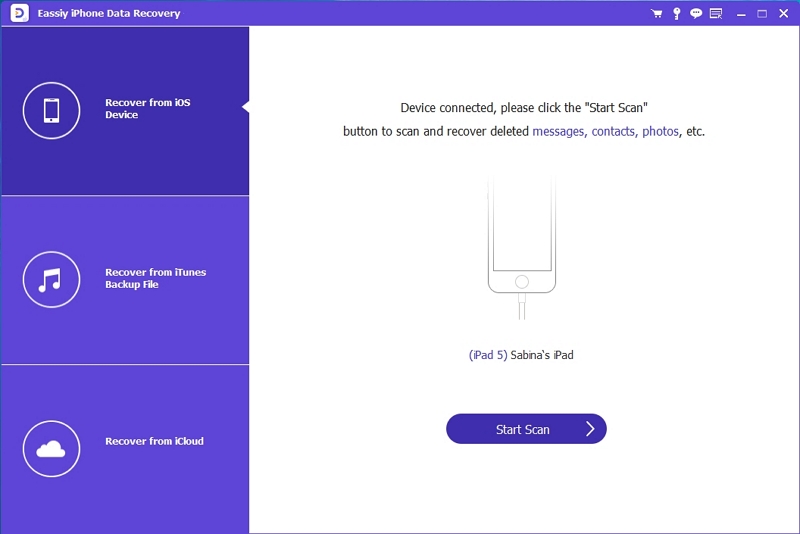
3. Click Start Scan. Eassiy will begin deep analysis of your device to locate deleted or lost data.
4. When scanning is done, it displays all recoverable items. You can preview them to check quality before recovery.
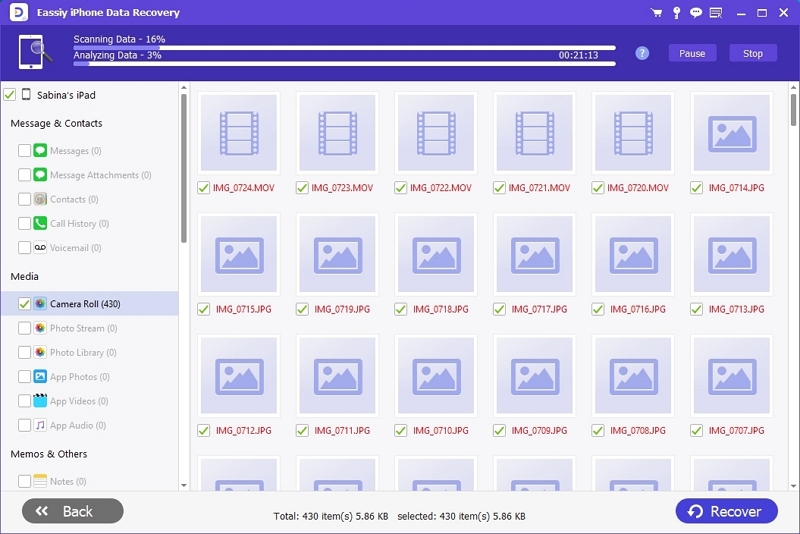
Choose to Show Deleted Only. Then, tick the check boxes next to the files you want to restore.
Click Recover to save those files directly on the iPhone or computer. Eassiy will ask you where to store them.
FAQs
Below are common doubts that users have when facing data loss on an iPhone.
Yes, in some cases. For instance, when the iPhone is at least partly recognized by a computer, like in DFU mode. Then, recovery software can sometimes scan the storage and bring back files.
If the device won’t switch on at all, go with a professional data recovery service in your local area.
Software solutions vary in price.
- Disk Drill is on the higher end. Its Pro license costs US$89, because it’s primarily a macOS tool with iOS recovery added in.
- Eassiy, being an iOS-focused solution, offers cost-effective plans starting at US$45.99 with options for annual or lifetime use.
If you take the device to a professional recovery service, the price will range between US$300 to US$1,000. The actual costs depend on the extent of the damage. This doesn’t include logistics like shipping or travel.
Final Words
Even as a general recovery tool, Disk Drill does focus on its iOS-recovery module. Still, the way it works—relying on backups is the reason it doesn’t deliver a high success rate. So, even with its recent v6 release, there’s room for improvement with no doubt.
If you’re looking for something built around iOS, Eassiy iPhone Data Recovery is the stronger option. It scans iPhone storage sectors directly, and most importantly, it delivers one of the highest success rates in the market. It’s very simple to use too: just connect your iPhone and let it scan the device. Then, you can recover what matters quickly and efficiently.